Sharing is caring!
You’ve picked a topic for your first YouTube video. Then you look up what you need to film it and suddenly you’re comparing cameras, microphones and lighting kits. If you’re building an online business alongside a job, that’s an evening you could have spent recording.
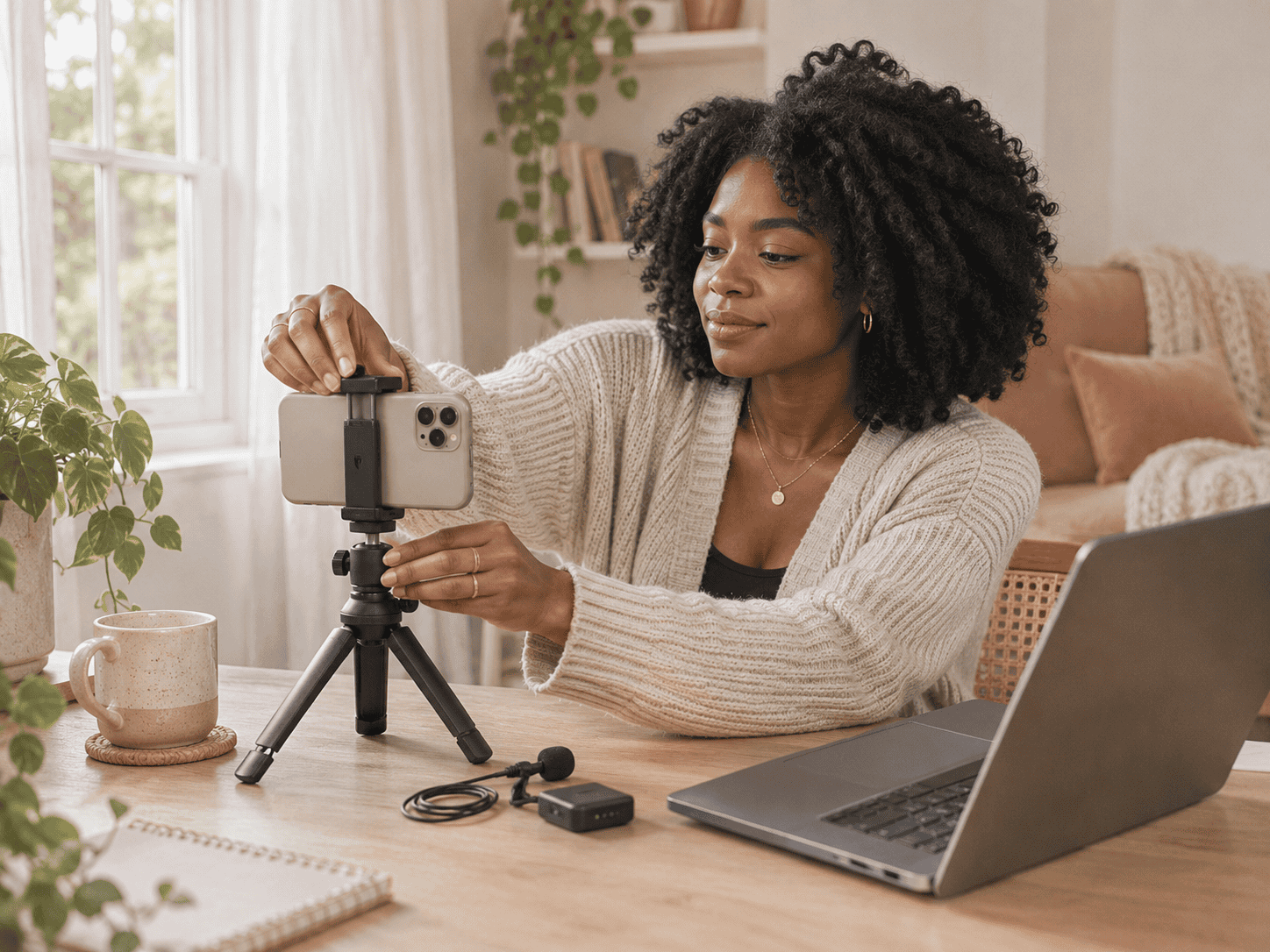
Start with the videos you’ll actually make. A Canva tutorial, a talking-head video and a hands-on product demo each need a slightly different setup. Here are the products I’d shortlist for a beginner, with a clear first buy for each setup.
Still working out what to film or how YouTube fits your business? Read How to Start a YouTube Channel for Your Online Business: The Complete Beginner’s Guide.
Beginner YouTube Gear at a Glance
| What You Need | What I’d Shortlist | Best For |
|---|---|---|
| Smartphone | Apple iPhone 17e or Google Pixel 10a | A phone upgrade you’ll use for filming and everyday life |
| Tripod | Ulanzi MT-44 | Keeping your phone steady for talking-head videos |
| Microphone | RØDE VideoMic Me-C+ or DJI Mic Mini | Clearer audio for stationary filming or demos where you move around |
| Lighting | Elgato Key Light Neo | Filming at your desk after work |
| Video editor | iMovie or Microsoft Clipchamp | Trimming and editing your first videos for free |
SmartPhone Camera
When it comes to your most important piece of equipment you don’t have to look any further than the phone in your pocket right now.
That’s all you need to get started. However if you know your current phones camera isn’t that great hen this is the perfect time for an upgrade.
Film a short test with the phone you own. Shoot in the room you’ll use most, then play the clip back on a bigger screen. If the picture is clear and your phone can record a full take without running out of space, move your camera budget to whichever part of the setup is giving you trouble.
If your phone already needs replacing, these are the models I’d compare.
There are a few things to consider when choosing a phone. The camera quality for both video and photos, battery life and the memory size.
Here are 3 SmartPhone’s I recommend:
Apple iPhone 17e — For iPhone Users
Apple lists 4K Dolby Vision video recording at up to 60 frames per second. I’d shortlist it for someone who already uses an iPhone and wants to keep filming and editing in the same setup. For a typical seated business video, start with a short test at 1080p and see what it looks like before switching to 4K.
Check the iPhone 17e on Amazon
Google Pixel 10a — For Android Users
Google lists rear-camera 4K recording at 30 or 60 frames per second. I’d shortlist it for someone who prefers Android and wants to film tutorials, talking-head videos or product demos on the same device they use every day.
Check the Google Pixel 10a on Amazon
Samsung Galaxy A57 5G — For Samsung Users
Samsung lists 4K recording at 30 frames per second. It’s another one to compare if you already like Samsung and mostly film seated videos or straightforward demos. Compare the price for the storage size you want, especially if you tend to keep several takes on your phone.
Check the Samsung Galaxy A57 5G on Amazon
Tripod With a Phone Mount
Ulanzi MT-44 — For Talking-Head Videos
The MT-44 has a folding phone holder built in, so you can set your phone up without shopping for a separate clamp. I’d pick it for seated videos, quick introductions and demos where you need both hands free. Before buying, measure the phone with its case on and check the holder’s dimensions. If your main format is overhead filming, shop for a dedicated overhead arm.
Check the Ulanzi MT-44 on Amazon
Audio Recorders & Microphones
Audio matters when it comes to video which is why you should invest in a great mic.
Regardless of the phone you choose, you’ll want to make sure that the device you use is easy to use while you’re recording.
You want a mic that picks up your voice clearly and depending on where you plan to record your videos, you may want a mic the doesn’t pick up additional noise around you.
Record a test at your usual filming distance and play it back through headphones. If your voice sounds far away or gets lost in the room noise, these two mics suit different ways of filming.
Here are the Microphones I Recommend For Your YouTube Channel:
RØDE VideoMic Me-C+ — For Filming Close to Your Phone
This directional mic plugs into compatible USB-C phones. I’d pick it if you film close to the phone and want a mic that stays attached to it. Check your phone and case before buying. If you have an older iPhone with a Lightning port, choose a mic designed for that connection.
Check the RØDE VideoMic Me-C+ on Amazon
DJI Mic Mini (1 TX + 1 RX) — For Demos Where You Move Around
This kit gives you one clip-on transmitter and one receiver. It’s my pick if you step back from the phone to show a whiteboard, demonstrate a product or film while moving around. Look for the 1 TX + 1 RX bundle and check which phone adaptor comes with the listing. DJI also makes a two-transmitter kit if you regularly record with a guest.
Check the DJI Mic Mini on Amazon
Lighting kits
As you begin shooting and editing your own videos, you’ll quickly learn that the lighting in most rooms is subpar for filming videos. If you have a good size window with great sunshine you may get away with using natural light.
However you have to restrict your video recording time to the hours you have great lighting.
To remedy this, you’ll want to invest in a lighting kit.
Lighting kits usually come with a number of different lights that you can use to enhance the ambient lighting in your room.
If a full lighting kit is outside your budget or you’re just short on space then you can get ring lights instead.
Here are 3 light kits I recommend:
EMART 1000W Softbox Lighting Kit with Reflectors
RALENO Softbox Photography Lighting
Here are 3 Ring Lights I recommend:
Ring Light with Tripod Stand & Phone Holder Tall
GerTong 12.6” Selfie Ring Light with Tripod Stand & Phone Holder
Check the Elgato Key Light Neo on Amazon
Editing Software
Once you have your video footage, you’ll want to edit it. For this, you’ll want to invest in good editing software.
If you’re a complete newbie you want something that is easy to learn and get started with.
While there are hundreds of different programs on the market, many of them are overpriced and difficult to use.
The best editing software is easy to use, yet provides all of the features you’ll need to create great videos.
iMovie — For Editing on an iPhone or iPad
I’d start here if you film and edit on the same Apple device. Use it to cut the pauses, add a simple title and adjust the audio before you export.
Microsoft Clipchamp — For Editing on a Computer
Clipchamp’s free plan supports watermark-free exports up to 1080p when you stick to free features and assets. I’d pick it if you’d rather edit on a bigger screen or put together a screen-recorded tutorial with a voiceover.
Some other free and low cost editing software I recommend:
What Should You Buy First?
- Your phone keeps slipping or sitting too low: Start with the Ulanzi MT-44.
- Your voice is hard to hear during demos: Start with the DJI Mic Mini.
- You film at your desk after dark: Start with the Elgato Key Light Neo.
Pick the one that solves the problem you’ve actually seen in your test footage. If your test looks and sounds clear, use that setup to film a full video before spending anything.
Final Words
Creating your own YouTube channel can be a great way to begin a new career, and start making a living online.
However, it can also be daunting, especially if you’ve never created video content before.
Thankfully, there are a few items that you’ll need to get started. First, you’ll need a smartphone with a high-quality camera and good audio recording capabilities.
Next, you’ll need a phone stand or tripod. With these items, you’ll be well on your way to starting a successful YouTube channel.
FAQs About Beginner YouTube Gear
Do I Need a Camera to Start a YouTube Channel?
A smartphone is enough for most first videos. If you’re teaching software or walking someone through a digital product, you can start with a screen recording and a voiceover.
Should I Buy a Microphone or a Light First?
Listen to your test recording before you decide. If your words are hard to make out, fix the sound first. If your audio is clear but viewers can’t see what you’re demonstrating, put the money towards lighting.